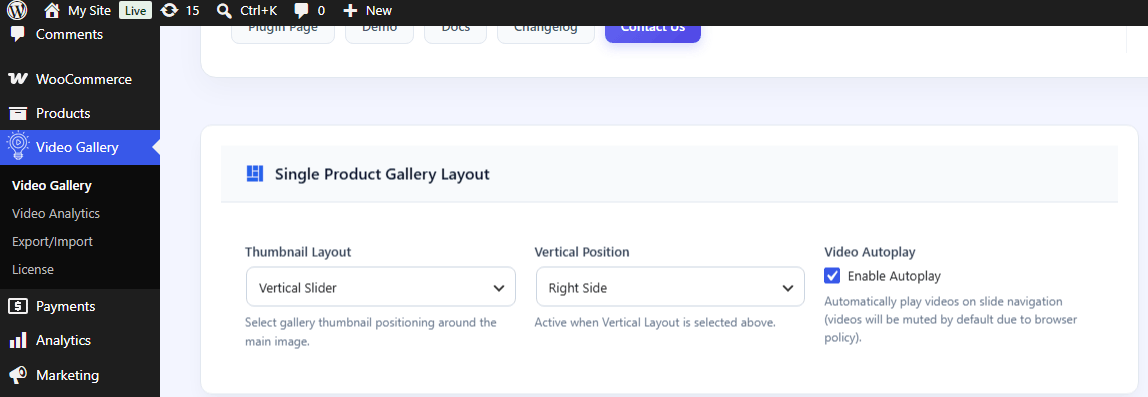
Learn how to attach videos to your simple and variable WooCommerce products. The plugin allows you to combine images and videos seamlessly within the main product gallery.
Supported Video Sources #
You can add videos using three different methods:
-
YouTube: Paste any standard YouTube video URL or Short URL (e.g.,
[https://www.youtube.com/watch?v=](https://www.youtube.com/watch?v=)...or[https://youtu.be/](https://youtu.be/)...). -
Vimeo: Paste any Vimeo video link (e.g.,
[https://vimeo.com/](https://vimeo.com/)...). -
Self-Hosted MP4: Upload
.mp4,.webm, or.ogvvideo files directly to your WordPress Media Library.
Adding Videos to Simple Products #
Follow these steps to add a video to a standard single product:
-
Go to WordPress Dashboard → Products → All Products.
-
Click Edit on the product you want to modify (or click Add New).
-
Scroll down to the Product Features Image (located on the right sidebar or below the main editor). and Click the Video Button
-
Choose Video Source: Select YouTube, Vimeo, or Self-Hosted / MP4.
-
Insert Video Link/File:
-
For YouTube/Vimeo: Paste the full video URL into the field.
-
For Self-Hosted: Click Upload / Choose MP4 and select the file from your Media Library.
-
-
Video Poster/Thumbnail : The featured image functions as the video thumbnail.
-
Click save and Update to save changes.


Adding Multiple Videos to a Product Gallery #
To display more than one video alongside your product images:
-
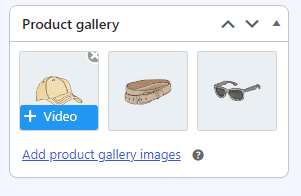
In the Product Gallery section, hover over the product image (or upload a new gallery image and hover over it) to reveal the Video button.
-
Click the button and configure the video settings (Video Source, URL/File, Custom Poster, and Position) for each video.
-
Drag and drop video items to reorder them within the gallery sequence.
-
Click Update to save your layout.
Video Display Options Per Product #
You can override global settings for individual products directly from the editor:
-
Autoplay Video: Toggle autoplay ON or OFF specifically for this product.
-
Shop Page Featured Video: Mark a video as the primary preview clip shown on WooCommerce archive/shop pages.